
Provision both clusters
Use separate Terraform configurations to provision Amazon EKS and Azure AKS, keeping each provider's infrastructure resources explicit.
TERRAFORM / IaCTO MOMNA'S ENGINEERING WORLD
Multi-Cloud Kubernetes Deployment — AWS EKS + Azure AKS
Provisioning Kubernetes infrastructure with Terraform and deploying a Dockerized Flask application across Amazon EKS and Azure AKS.
Use separate Terraform configurations to provision Amazon EKS and Azure AKS, keeping each provider's infrastructure resources explicit.
TERRAFORM / IaCDocument the AWS VPC and subnet layout alongside the Azure resource group, virtual network, and AKS subnet.
NETWORKINGThe GitHub Actions workflow runs on pushes to main, builds the Docker image, and pushes the latest tag to Docker Hub using repository secrets.
CI / CONTAINERSAssess how the Kubernetes Deployment and LoadBalancer Service run in EKS and AKS. The checked-in GitHub Actions workflow builds and pushes the image; deploying the Kubernetes manifests is a separate step.
KUBERNETESOperating Kubernetes across AWS and Azure introduces separate infrastructure configurations, network boundaries, cluster access requirements, and deployment considerations. The challenge is to document how these parts fit together without assuming both environments are managed by an identical end-to-end automation workflow.
Explain how Terraform provisions EKS and AKS, how the Dockerized Flask application is packaged and distributed, and how the Kubernetes workload is deployed and verified across both cloud environments. Identify credential, state-management, networking, and operational trade-offs using repository evidence.
03 / ARCHITECTURE & SYSTEM DESIGN
This project explores deploying a containerized Flask application across AWS EKS and Azure AKS. Terraform configurations define the cloud infrastructure separately, while Kubernetes manifests describe the application workload and service.
Flask application code, Dockerfile and Kubernetes manifests.
GitHub Actions builds the Docker image after a push to main.
The workflow pushes the built image to Docker Hub.
Separate Terraform configurations cover AWS and Azure resources.
EKS and AKS are the target platforms for the application workload.
Terraform configurations are organized separately for AWS and Azure. The repository also includes Kubernetes Deployment and Service manifests. The checked-in GitHub Actions workflow builds and pushes the container image; applying the Kubernetes manifests is a separate deployment step.
04 / IMPLEMENTATION & CORE COMPONENTS
The repository separates the Flask application, container packaging, image publishing, cloud-specific Terraform configuration and Kubernetes resources. The checked-in workflow builds and publishes an image; cluster provisioning and applying Kubernetes manifests remain separate operations.
ENGINEERING PRINCIPLE
Keep application code, image publishing, cloud infrastructure and Kubernetes resources independently reviewable. One important integration gap remains: the workflow publishes a `multicloud-app:latest` image, while the checked-in Deployment references `momnashahid/multi-cloud-app:v1`. Align these image references before relying on the workflow for updates.
A Python Flask web application packaged for execution inside a container. Its application source is maintained separately from infrastructure and deployment configuration.
Source:app/app.py The Dockerfile uses Python 3.10 slim, installs application requirements, copies the Flask files and exposes port 5000.
Source:Dockerfile On pushes to main, the workflow checks out the repository, authenticates to Docker Hub using configured GitHub secrets, then builds and pushes `${DOCKERHUB_USERNAME}/multicloud-app:latest`. It does not provision clusters or apply Kubernetes manifests.
Source:.github/workflows/ci-cd.yaml AWS configuration defines a VPC with public/private subnets, a single NAT gateway and an EKS cluster with a managed node group. Azure configuration defines a resource group, VNet, subnet and AKS cluster with a system-assigned identity.
Source:terraform/aws/ · terraform/azure/ The Deployment requests two replicas and references `momnashahid/multi-cloud-app:v1`. The LoadBalancer Service maps port 80 to target port 5000; the image reference currently differs from the image tag published by the workflow.
Source:k8s/deployment.yaml · k8s/service.yaml The checked-in workflow pushes `${DOCKERHUB_USERNAME}/multicloud-app:latest`. The Kubernetes Deployment instead references `momnashahid/multi-cloud-app:v1`, so the repository needs a consistent image name/tag or an explicit release step.
Workflow tag:multicloud-app:latest · manifest tag: multi-cloud-app:v1 The lifecycle connects the Flask application to container distribution and Kubernetes runtime resources across AWS EKS and Azure AKS. Each stage has a distinct responsibility, from building the image to configuring infrastructure and applying the workload manifests.
EXECUTION PRINCIPLE
A successful image build does not prove a successful cluster deployment. The checked-in GitHub Actions workflow builds and publishes the Docker image; infrastructure provisioning and Kubernetes manifest application remain separate operations.
The Flask application, Dockerfile, Terraform configurations and Kubernetes manifests are maintained in the project repository.
GitHub repositoryA push to the main branch triggers GitHub Actions to run the configured container image workflow.
.github/workflows/Docker packages the Flask application and its dependencies into an image using the repository's Dockerfile.
Dockerfile → imageGitHub Actions authenticates to Docker Hub using repository secrets and pushes the image with the latest tag.
Docker image → Docker HubThe separate infrastructure and deployment steps use the AWS EKS or Azure AKS environment and apply the Kubernetes Deployment and Service manifests.
Terraform → EKS / AKS → KubernetesContainerized workload running in the target cluster
 VIEW IMAGE ↗
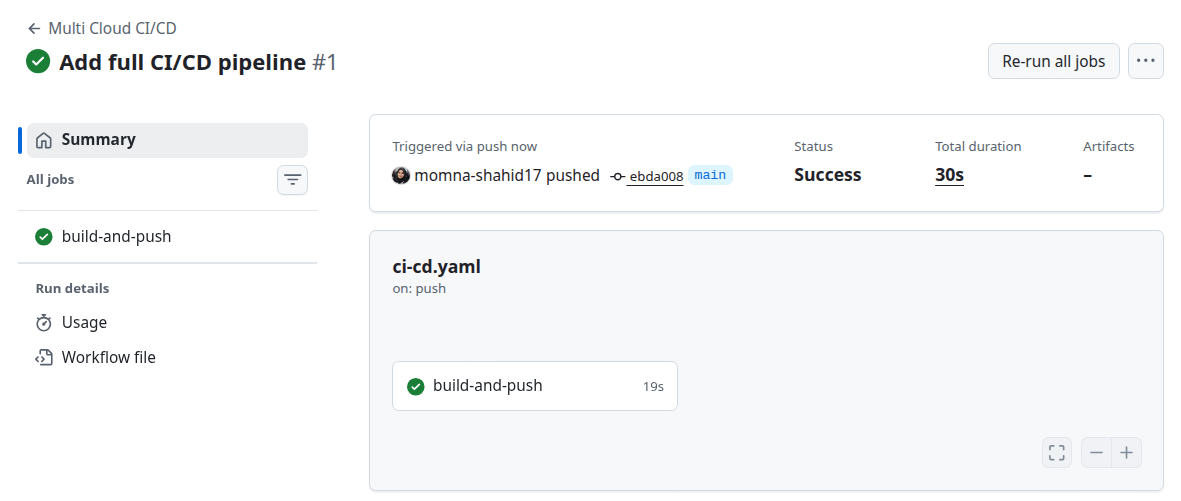
Workflow evidence for the automated container build and publishing process.
 VIEW IMAGE ↗
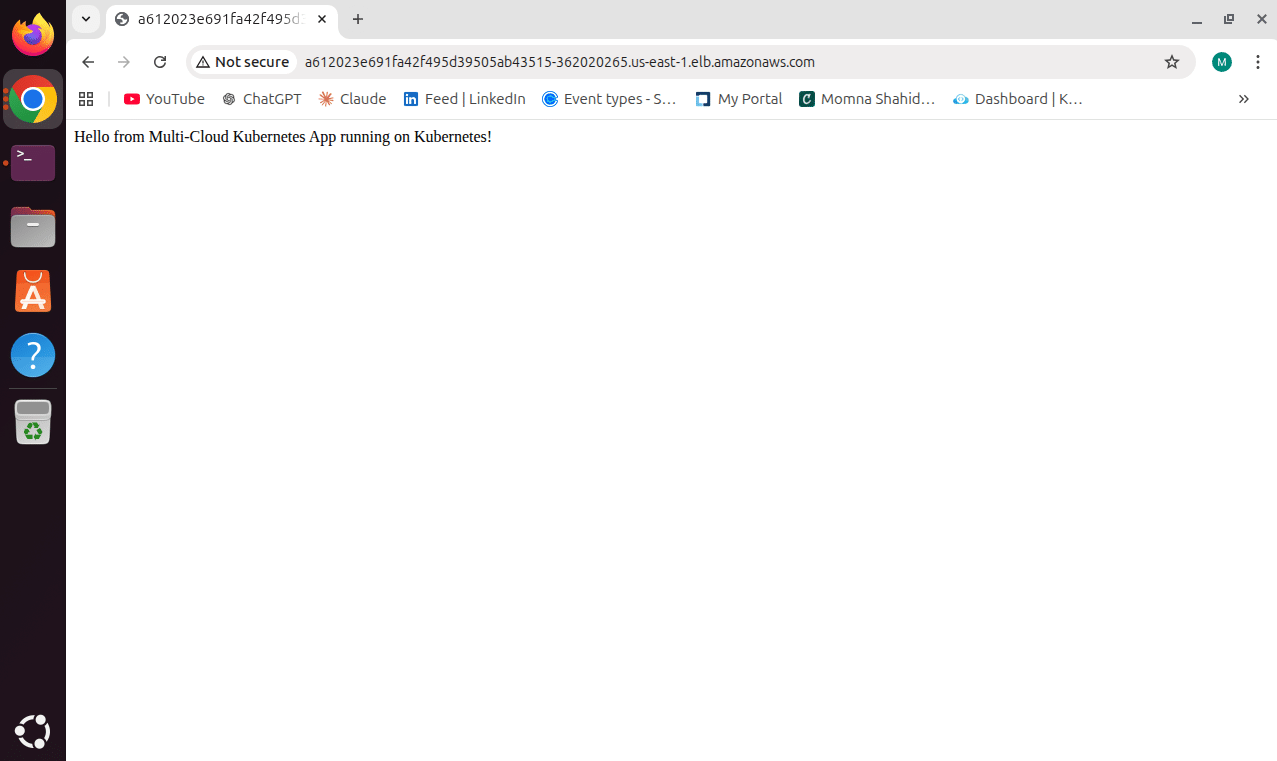
Application execution evidence from the AWS cluster.
 VIEW IMAGE ↗
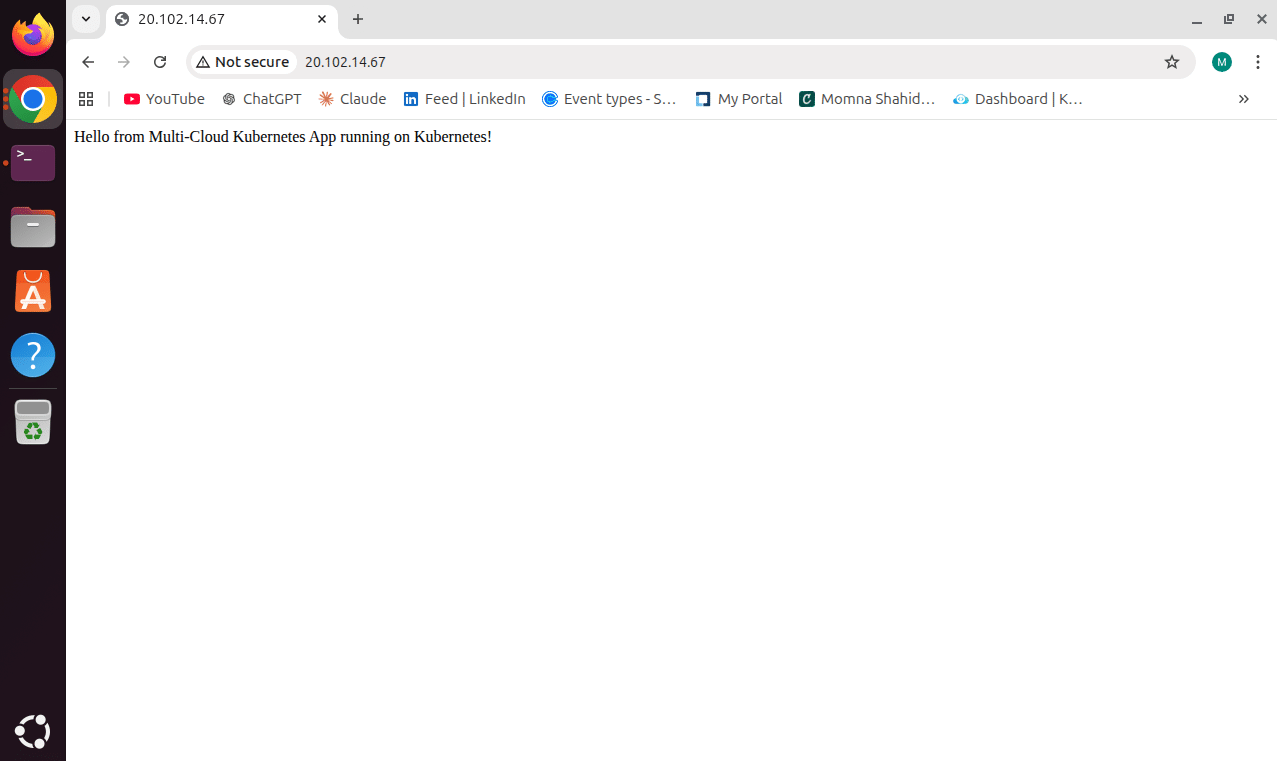
Application execution evidence from the Azure cluster.
 VIEW IMAGE ↗
Evidence of the configured multi-cloud cluster contexts.
Select any evidence card to open the full-size screenshot in a new tab.
A multi-cloud deployment needs evidence beyond configuration files. These project artifacts document the container workflow, application execution in both cloud environments, and the Kubernetes contexts used for the setup.
The pipeline screenshot documents the GitHub Actions workflow. The configured workflow builds and pushes the Docker image; it does not itself deploy the Kubernetes manifests.
Separate screenshots show the application running on the AWS and Azure Kubernetes clusters, documenting application execution in both environments.
The Kubernetes contexts screenshot documents the multi-cloud cluster setup. Together, these artifacts support the project's cross-cloud deployment story.
Evidence-led validation Each artifact supports a specific part of the project. Workflow completion, application execution and cluster context are different forms of evidence and should not be treated as interchangeable proof.
Running Kubernetes across AWS EKS and Azure AKS introduces several operational boundaries: registry credentials, externally exposed services, workflow failures and infrastructure changes. These areas need deliberate review without assuming controls that have not been verified.
Keep credentials out of source code, review network exposure, inspect failures before retrying, and validate infrastructure changes before applying them.
The GitHub Actions workflow authenticates to Docker Hub using GitHub repository secrets. Secret values should remain outside committed source files and must not be printed in workflow logs.
The Kubernetes Service uses type LoadBalancer and maps external port 80 to container port 5000. Review the resulting public exposure and the relevant cloud network rules for each cluster.
GitHub Actions provides run status and job logs for investigating image build or publishing failures. A successful image workflow alone does not prove that the Kubernetes workload was deployed successfully.
AWS and Azure infrastructure are organized in separate Terraform directories. Review the intended resource changes and resulting infrastructure before applying changes to either cloud environment.
These are the security and reliability considerations relevant to this stack, not a claim that every control has been implemented or independently tested. The checked-in workflow builds and pushes the container image; Kubernetes deployment is a separate operation. Automated rollback, a dedicated monitoring system and a comprehensive security audit are not claimed here.
AWS and Azure have separate Terraform configurations. The checked-in workflow only builds and pushes an image; it does not provision clusters or apply Kubernetes manifests. The workflow publishes multicloud-app:latest, while the Kubernetes manifest references multi-cloud-app:v1 — these tags do not match.
VPC across two AZs; private EKS subnets; one NAT gateway; managed node group (1–2 t3.medium nodes).
East US VNet and AKS subnet; one-node pool using Standard_DC2as_v5; Azure CNI and Standard Load Balancer.
Codified, provider-specific AWS and Azure infrastructure.
No remote backend is defined in the checked-in configs, so Terraform defaults to local state; shared locking and recovery are not configured here.
Deployment requests two app replicas; LoadBalancer Service maps port 80 to container port 5000.
Each cloud still needs its own cluster access and networking. No cross-cloud VPN or peering is defined in the repo.
A shared registry distributes the container image to Kubernetes environments.
Tag mismatch: Actions pushes multicloud-app:latest, while the manifest uses multi-cloud-app:v1.
Automated image building and publishing when code is pushed to main.
Workflow maintenance; Kubernetes deployment remains a separate step.
A shared container and Kubernetes resource model reduce application packaging differences, but cloud infrastructure, credentials, networking, cost and operations remain provider-specific. The image-tag mismatch and separate deployment steps must be resolved before treating this as an end-to-end automated delivery pipeline.
This project combines Terraform-managed infrastructure, a Dockerized Flask application, Kubernetes manifests and a GitHub Actions image workflow. The engineering challenge is not just using both clouds; it is understanding which responsibilities are shared and which remain provider-specific.
Separate AWS and Azure configurations make infrastructure reviewable. Neither checked-in config defines a remote backend, so Terraform uses local state by default; remote locking and shared-state recovery are not configured here. The Azure kube-config output is marked sensitive, but that does not encrypt or secure the state file itself.
GitHub Actions automates the Docker image build and push. Terraform provisioning and applying Kubernetes manifests are separate operations, not one end-to-end deployment pipeline in the checked-in workflow.
Two managed clusters mean separate control-plane, worker, load-balancer and operational costs. AWS also configures one NAT gateway: this can cost less than one per AZ, but creates an egress availability bottleneck. The repo defines no cross-cloud network link, and provider credentials are not hardcoded in the Terraform files.
The repository combines separate Terraform configurations for AWS EKS and Azure AKS, a Dockerized Flask application, Kubernetes manifests and a GitHub Actions image-publishing workflow. Screenshots document application execution in both clusters; the checked-in workflow does not automate the full deployment.
Engineering takeaway A shared application image and Kubernetes resource model support portability, but reliable delivery also depends on matching image tags, secure access, state management, networking and tested recovery procedures.
The AWS configuration defines a VPC across two Availability Zones, private and public subnets, one NAT gateway and an EKS cluster. The Azure configuration defines a VNet, subnet and AKS cluster with a system-assigned managed identity.
On pushes to main, the workflow builds and pushes the :latest image to Docker Hub. The Kubernetes manifest instead references momnashahid/multi-cloud-app:v1, so the published and deployed image references do not match.
The manifest requests two application replicas and a LoadBalancer Service mapping port 80 to target port 5000. This is configuration evidence, not proof of autoscaling or high availability under failure.
Repository screenshots document the Flask application running on the AWS and Azure Kubernetes clusters, alongside evidence of configured Kubernetes contexts.
Keep provider-specific Terraform configurations version-controlled. Both checked-in configurations lack a remote backend block, so Terraform defaults to local state unless configured separately; team state sharing and locking are not defined.
Keep Docker Hub credentials in GitHub Actions secrets and review cloud permissions and LoadBalancer exposure. Cloud provider credentials are not hardcoded in the Terraform files; the actual authentication method depends on the environment.
Add a deployment stage only after aligning the workflow image name and tag with the Kubernetes manifest. Then add validation gates and test recovery; the current workflow only builds and pushes the image.
Add health checks, monitoring and alerting, then measure costs. AWS uses one NAT gateway, which reduces NAT gateway count but can create an availability bottleneck; both clusters and their networking resources add ongoing cost.
04 / IMPLEMENTATION & CORE COMPONENTS
The repository separates the Flask application, container packaging, image publishing, cloud-specific Terraform configuration and Kubernetes resources. The checked-in workflow builds and publishes an image; cluster provisioning and applying Kubernetes manifests remain separate operations.
ENGINEERING PRINCIPLE
Keep application code, image publishing, cloud infrastructure and Kubernetes resources independently reviewable. One important integration gap remains: the workflow publishes a `multicloud-app:latest` image, while the checked-in Deployment references `momnashahid/multi-cloud-app:v1`. Align these image references before relying on the workflow for updates.
A Python Flask web application packaged for execution inside a container. Its application source is maintained separately from infrastructure and deployment configuration.
Source:app/app.py The Dockerfile uses Python 3.10 slim, installs application requirements, copies the Flask files and exposes port 5000.
Source:Dockerfile On pushes to main, the workflow checks out the repository, authenticates to Docker Hub using configured GitHub secrets, then builds and pushes `${DOCKERHUB_USERNAME}/multicloud-app:latest`. It does not provision clusters or apply Kubernetes manifests.
Source:.github/workflows/ci-cd.yaml AWS configuration defines a VPC with public/private subnets, a single NAT gateway and an EKS cluster with a managed node group. Azure configuration defines a resource group, VNet, subnet and AKS cluster with a system-assigned identity.
Source:terraform/aws/ · terraform/azure/ The Deployment requests two replicas and references `momnashahid/multi-cloud-app:v1`. The LoadBalancer Service maps port 80 to target port 5000; the image reference currently differs from the image tag published by the workflow.
Source:k8s/deployment.yaml · k8s/service.yaml The checked-in workflow pushes `${DOCKERHUB_USERNAME}/multicloud-app:latest`. The Kubernetes Deployment instead references `momnashahid/multi-cloud-app:v1`, so the repository needs a consistent image name/tag or an explicit release step.
Workflow tag:multicloud-app:latest · manifest tag: multi-cloud-app:v1 Multi-Cloud Kubernetes Deployment using AWS EKS, Azure AKS, Terraform, Docker, Kubernetes and GitHub Actions. The workflow publishes the image; cluster provisioning and manifest application are separate steps in the checked-in implementation.
Explore source repository ↗Selected paths from the repository. Visit GitHub for the complete file tree and current implementation.
The repository brings together the Flask application, Docker image definition, GitHub Actions workflow, Kubernetes manifests and separate Terraform configurations for AWS and Azure. Review the code alongside the available implementation evidence to understand the multi-cloud approach and its current boundaries. The workflow publishes `multicloud-app:latest`, while the Kubernetes Deployment references `momnashahid/multi-cloud-app:v1`; align these image references before treating image publishing as an update path.
Inspect how GitHub Actions builds the Docker image and pushes it to Docker Hub when changes are pushed to main.
Explore the AWS and Azure Terraform directories. The checked-in configurations do not define a remote state backend, so Terraform uses local state by default unless configured elsewhere.
Review the pipeline, cluster application screenshots and Kubernetes contexts alongside the repository documentation.
Align the Docker image name and tag used by GitHub Actions and the Kubernetes Deployment, then add a validated deployment step.
Configure and protect Terraform state with an appropriate remote backend and locking, then document recovery procedures.
Evaluate resource scaling, monitoring, cloud costs and security controls.
These are potential improvements, not claims that the capabilities are already implemented. The checked-in workflow only builds and pushes the image; it does not provision EKS/AKS or apply Kubernetes manifests. The workflow image tag also differs from the image in the Deployment. No cross-cloud network connection or remote Terraform state backend is defined in the checked-in Terraform configuration.