

Deploying an application to Kubernetes is one thing. Deploying the same application across two different cloud providers introduces a different set of engineering decisions. Infrastructure provisioning, cluster access, networking, container images and operational workflows all need to work together, even though AWS and Azure have their own cloud-specific services and configurations.
In this project, I worked with Amazon EKS and Azure AKS to provision two Kubernetes environments using Terraform and run a containerized Flask application in both. The experience helped me understand the practical differences between the providers and, more importantly, the operational details that can easily be overlooked when planning a multi-cloud deployment.
Here are some of the lessons I took away from building and verifying the application across both environments.
1. Infrastructure as Code Does Not Mean Identical Infrastructure
My first important lesson was that Infrastructure as Code makes infrastructure repeatable, but it does not make different cloud providers identical.
I used Terraform for both environments, keeping the AWS and Azure configurations in separate directories. This allowed me to define provider-specific resources independently while using the same infrastructure-as-code workflow.
On AWS: VPC and EKS
The AWS configuration provisions a VPC with the CIDR range 10.0.0.0/16. It defines two public subnets and two private subnets across availability zones in the us-east-1 region.
The configuration enables a single NAT Gateway and provisions an EKS cluster named multi-cloud-eks. The managed node group uses On-Demand t3.medium instances, with a desired size of one node and a maximum size of two.
The EKS cluster is connected to private subnets, while both public and private Kubernetes API endpoint access are enabled.
On Azure: Virtual Network and AKS
For Azure, I defined the resource group, virtual network, subnet and AKS cluster through Terraform resources.
The virtual network uses 10.1.0.0/16, with a dedicated AKS subnet using 10.1.1.0/24. The AKS cluster is named multi-cloud-aks and uses a default node pool with one Standard_DC2as_v5 VM.
I also configured a system-assigned managed identity for AKS, allowing the cluster to use an Azure-managed identity rather than relying on a manually maintained service principal secret for that identity configuration.
Both configurations use Terraform, but the resources, provider authentication and networking models are different. My takeaway was that multi-cloud infrastructure should share a consistent design goal without forcing every provider-specific component into an identical structure.
2. Cluster Context Management Deserves More Attention Than I Expected
When working with multiple Kubernetes clusters, one of the easiest mistakes is running a command against the wrong environment.
Kubernetes contexts help prevent that confusion by identifying the cluster, user and namespace configuration used by kubectl. In this project, I configured access to both EKS and AKS and used separate contexts to distinguish the two environments.
This made it easier to inspect the active cluster before checking resources or interacting with the application. It also reinforced the importance of verifying the current context before running commands that modify resources.

A context is not an access-control policy by itself. The credentials associated with it still determine what actions are allowed. For a larger environment, I would combine clearly named contexts with least-privilege access and carefully managed kubeconfig files.
3. Containerization Helps Keep the Application Consistent
Another lesson was the value of keeping the application package independent from the infrastructure that runs it.
The project uses a small Flask application with two routes:
/returns a message confirming that the application is running on Kubernetes./healthreturns a simple application health response.
The Dockerfile uses python:3.10-slim as its base image, installs the Python requirements, copies the application files and exposes port 5000.
FROM python:3.10-slim

WORKDIR /app

COPY app/requirements.txt .
RUN pip install --no-cache-dir -r requirements.txt

COPY app/ .

EXPOSE 5000

CMD ["python", "app.py"]
This creates a portable container image that can be used by either Kubernetes environment. The application does not need a separate codebase for EKS and AKS simply because the underlying cloud provider changes.
However, portability still depends on how images are built, tagged and distributed. Both clusters need to be able to access the intended image version, and the deployment manifests must reference that same version consistently.
4. A CI Pipeline and a Deployment Pipeline Are Not the Same Thing
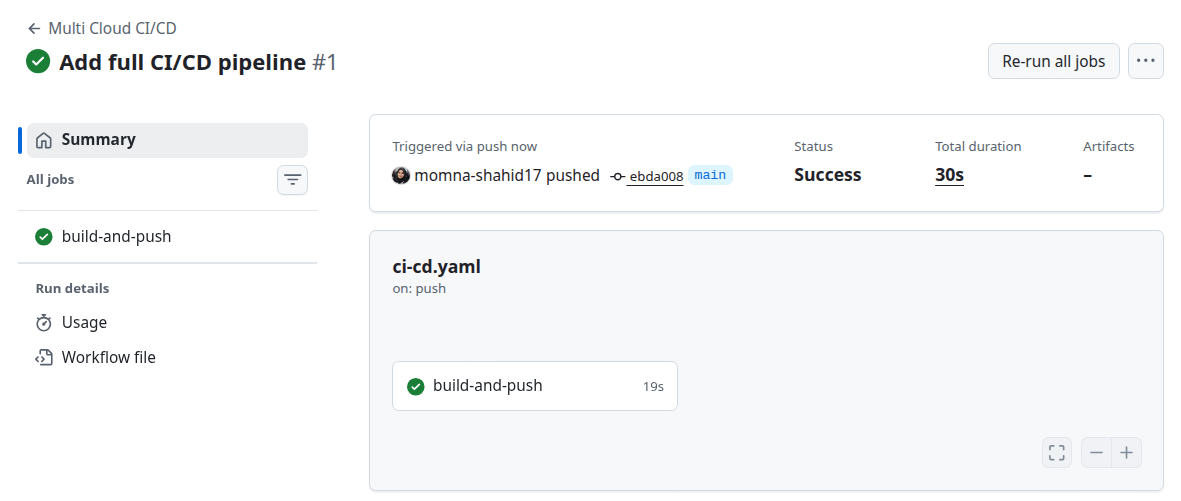
I used GitHub Actions to automate the Docker image publishing process. The workflow is triggered by a push to the main branch.
It checks out the repository, authenticates with Docker Hub using GitHub repository secrets, builds the Docker image and pushes it to the registry.
This removes the need to perform the image build and registry push manually for every code update.
One important distinction I learned from reviewing the workflow is that it automates image publishing, not the complete deployment process. It does not run Terraform or apply Kubernetes manifests to EKS and AKS.
The workflow’s main steps are:
- Check out the repository.
- Authenticate with Docker Hub using GitHub secrets.
- Build the application image.
- Push the image to Docker Hub.
This is useful continuous integration and image-publishing automation. A more complete continuous deployment workflow would need additional steps to authenticate with the target clusters, update the Kubernetes workloads and verify the rollout.
I also noticed an image-versioning detail worth improving. The workflow publishes an image with the mutable latest tag, while the Kubernetes Deployment manifest references momnashahid/multi-cloud-app:v1. I would align those references and use an immutable tag, such as a commit SHA, so that the exact image version can be traced from a build to a deployment.
5. Kubernetes Manifests Can Stay Familiar Across Providers
One of the useful parts of this project was seeing how much of the application-level Kubernetes configuration could remain consistent across two managed Kubernetes services.
The Deployment manifest defines two replicas of the application:
apiVersion: apps/v1
kind: Deployment
metadata:
  name: multi-cloud-app
spec:
  replicas: 2
  selector:
    matchLabels:
      app: multi-cloud-app
  template:
    metadata:
      labels:
        app: multi-cloud-app
    spec:
      containers:
        - name: multi-cloud-app
          image: momnashahid/multi-cloud-app:v1
          ports:
            - containerPort: 5000
The Deployment describes the desired number of Pods and the container image they should run. Kubernetes manages the workload according to that desired state.
The Service uses the LoadBalancer type:
apiVersion: v1
kind: Service
metadata:
  name: multi-cloud-app-service
spec:
  type: LoadBalancer
  selector:
    app: multi-cloud-app
  ports:
    - port: 80
      targetPort: 5000
This exposes the application through a cloud-integrated load balancer, forwarding traffic from port 80 to the container’s port 5000.
The important lesson is that Kubernetes gives me a consistent way to describe the application workload, but the cloud provider still manages the infrastructure behind resources such as load balancers. The same manifest can be familiar across providers without making the underlying networking implementation identical.
6. Verifying the Application in AWS EKS
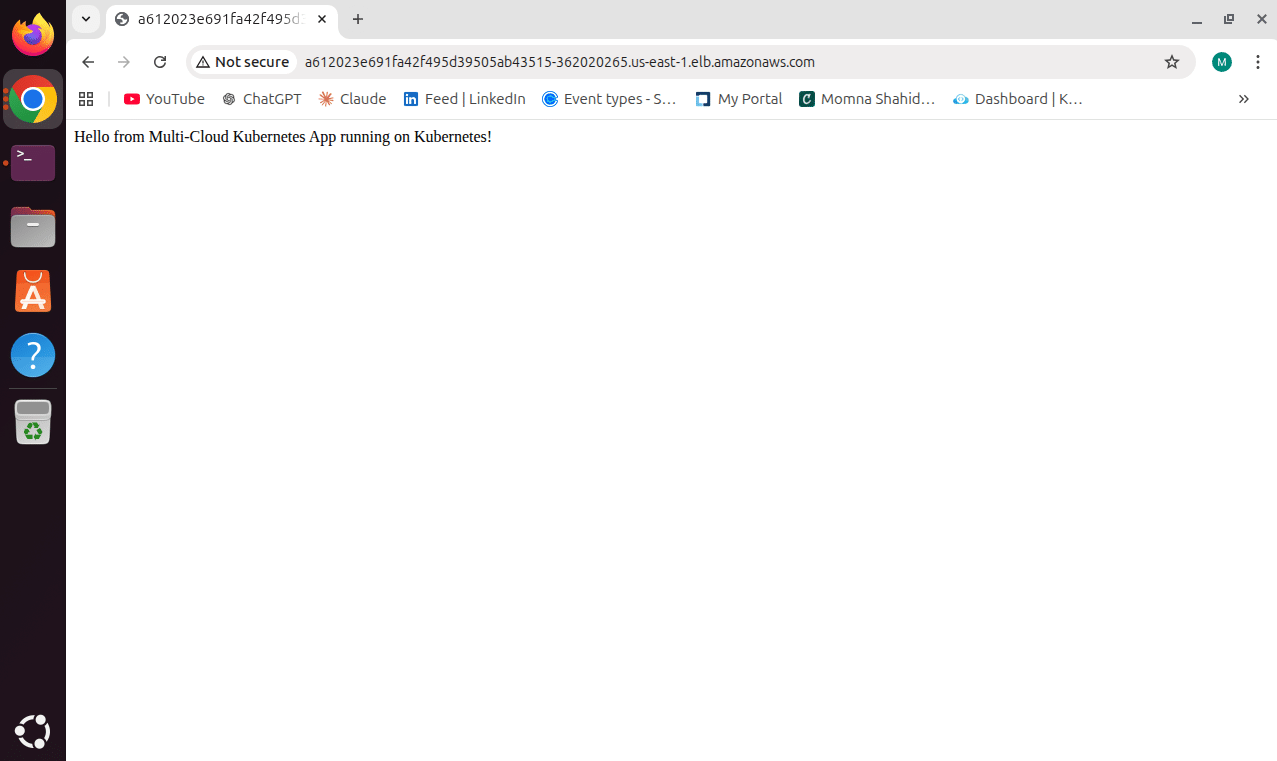
After configuring the AWS environment, I verified that the Flask application was accessible through the EKS cluster.
The application was running through the Kubernetes Deployment and exposed using the LoadBalancer Service. The screenshot shows the application responding from the AWS environment.
This was an important practical checkpoint: infrastructure provisioning alone does not tell me whether the workload is actually accessible. I needed to verify the application itself after the cluster resources were in place.
7. Verifying the Application in Azure AKS
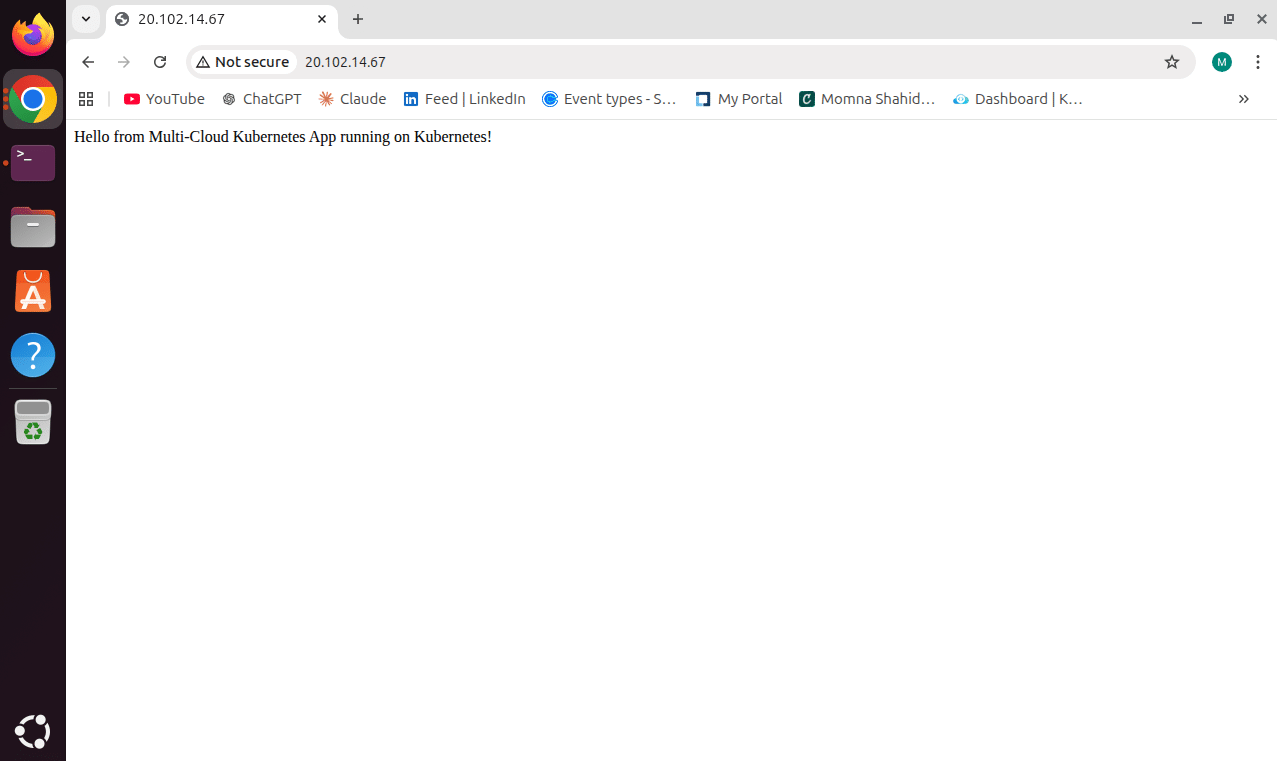
I performed the same application-level verification in Azure AKS. The Flask workload was accessible through the Azure Kubernetes environment as well.
Using the same application and Kubernetes resource definitions helped demonstrate workload portability. The infrastructure and cluster access remained provider-specific, while the application structure stayed consistent.
Comparing the two results helped me understand the difference between a portable application and the cloud-specific services required to expose and operate it.
8. Networking Is Where Cloud-Specific Differences Become Visible
Although the Kubernetes Service definition is consistent, the networking resources behind it are not exactly the same across AWS and Azure.
In AWS, the project provisions a VPC with public and private subnets. The EKS cluster is associated with the private subnets, and the configuration enables a NAT Gateway. In Azure, the project provisions a separate virtual network and a dedicated subnet for AKS.
Both environments use a Kubernetes LoadBalancer Service to expose the application. This is convenient for a demonstration because the cloud provider integrates with Kubernetes to provision the corresponding load-balancing resource.
But it also introduces operational questions:
- Which inbound traffic should be allowed to reach the application?
- How should TLS termination and HTTPS be handled?
- Are public endpoints necessary for every workload?
- How will network access be monitored and restricted?
- How will the application behave if one cloud environment becomes unavailable?
The current project demonstrates application access through each cloud environment. It does not configure a shared DNS traffic manager, cross-cloud failover or a global ingress architecture. Those would be separate design decisions for a more advanced multi-cloud platform.
9. Cost and Operational Complexity Are Part of the Architecture
One of my biggest takeaways was that operating across two cloud providers means managing two sets of infrastructure resources and their associated costs.
On AWS, the configuration includes an EKS cluster, EC2 worker capacity, VPC networking and a NAT Gateway. On Azure, the configuration includes an AKS cluster, a node pool, a resource group and virtual networking.
The costs are not limited to the Kubernetes nodes. Managed control-plane pricing, load balancers, NAT or outbound networking, storage and data transfer can all affect the total. The actual amount depends on the selected region, resource usage and how long the infrastructure remains active.
There is also an operational cost that is less visible in a cloud billing dashboard. Each environment requires its own authentication, cluster access, infrastructure state, monitoring, troubleshooting and upgrade process.
For a real production system, I would first identify the business reason for running across multiple providers. Resilience, provider-specific services, regulatory requirements or a genuine availability strategy may justify the added complexity. Simply using two clouds does not automatically provide high availability.
10. What I Would Improve Before Production
The project demonstrates infrastructure provisioning and application deployment across EKS and AKS, but there are several areas I would strengthen before using a similar setup for a production workload.
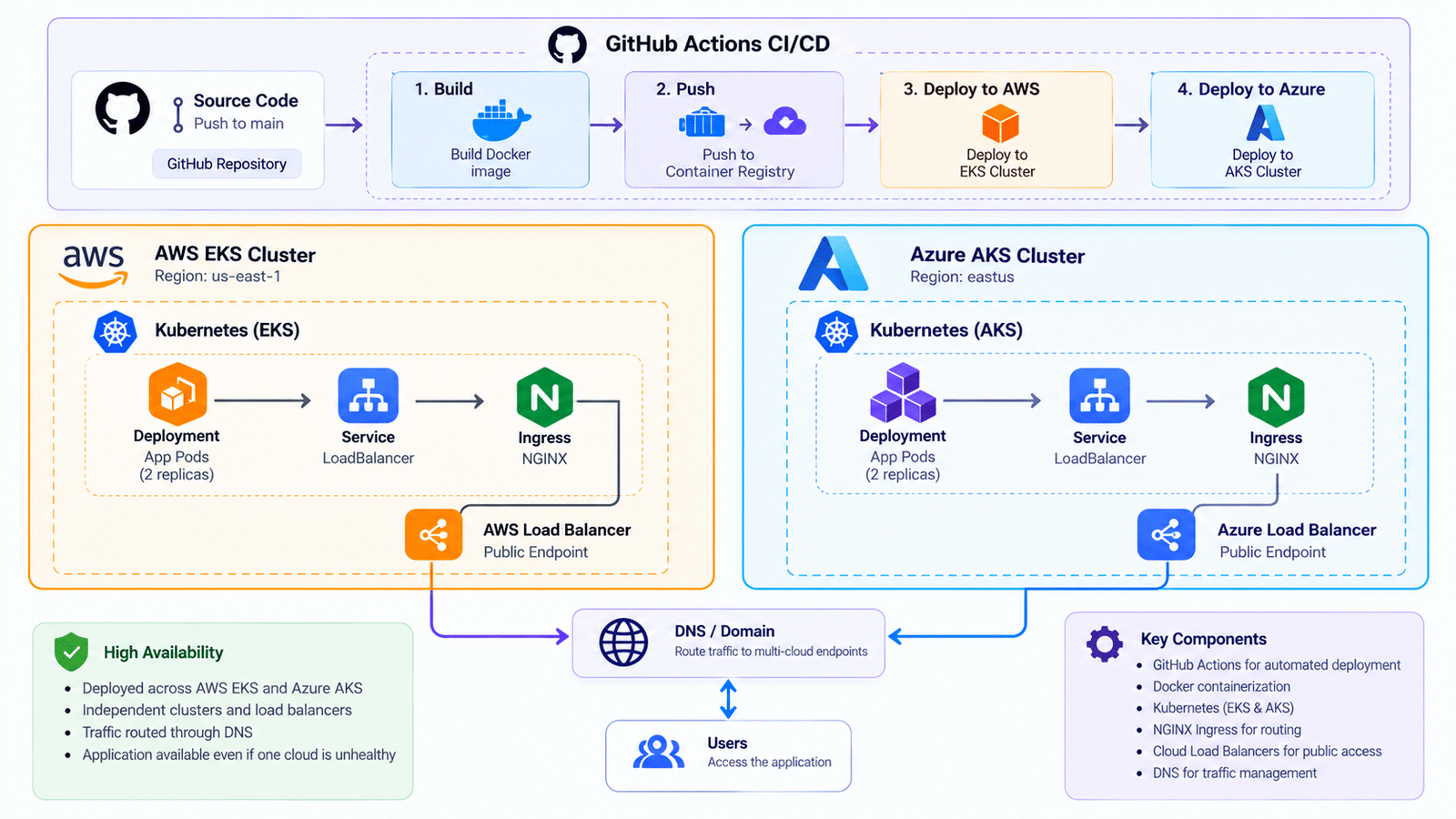
The illustration represents how I would think about extending the current setup: controlled deployment automation, clearer traffic management and more consistent operational visibility across both clusters.
These capabilities are not part of the current repository. The existing GitHub Actions workflow builds and pushes the Docker image; it does not deploy to both clusters or configure DNS-based failover.
For a future iteration, I would consider adding those capabilities only after defining the required availability, security and operational goals.
Infrastructure and state management
- Use a secured remote Terraform backend with state locking and controlled access.
- Keep AWS and Azure credentials outside source code and manage them through appropriate identity mechanisms.
- Review the sensitive AKS kubeconfig output and restrict access to Terraform state, since sensitive outputs can still be stored in state.
Kubernetes workload hardening
- Add readiness and liveness probes. The Flask application already exposes a
/healthroute that could be used as a basis for a probe. - Define CPU and memory requests and limits.
- Use a non-root container user and an appropriate Pod security context.
- Introduce least-privilege RBAC and NetworkPolicies where required.
- Scan container images and use immutable image tags.
CI/CD and operations
- Extend GitHub Actions with controlled deployment steps for each cluster.
- Validate Kubernetes manifests before applying them.
- Verify rollout status after deployment.
- Add monitoring, centralized logs and alerting.
- Plan a clear recovery and rollback process.
These are improvements I would make in a future iteration, rather than features I am claiming are already implemented in this project.
Conclusion: What This Project Taught Me
Deploying the same Flask application across AWS EKS and Azure AKS gave me a practical understanding of what multi-cloud Kubernetes involves beyond writing a Deployment manifest.
I learned that Terraform can provide a consistent infrastructure-as-code workflow while still requiring provider-specific resource definitions. I also saw how Kubernetes contexts, container image management, cloud networking and CI/CD boundaries affect the day-to-day operation of multiple clusters.
Perhaps the most important lesson was that a successful application deployment is only one part of a reliable platform. Image versioning, secure credentials, Terraform state, workload health checks, monitoring, cost management and recovery planning all matter when moving from a working demonstration toward production operations.
For me, this project was a valuable exercise in connecting cloud infrastructure, Kubernetes administration and automation—and understanding the engineering trade-offs that come with running workloads across more than one cloud provider.
Project Repository
The Terraform configurations, Kubernetes manifests, application source code and GitHub Actions workflow are available in the project repository:
View the Multi-Cloud Kubernetes Project on GitHub →
Technologies: Kubernetes · Amazon EKS · Azure AKS · Terraform · Docker · GitHub Actions · Python · Flask · AWS VPC · Azure Virtual Network